
What a Clark County Court Docket Shows
A court docket is the running log of court activity on a case. It is not the full case file. It does not always include every filed document. What it does include is the timeline. Each event the court records becomes a docket line with a date, an event label, and often a short description. Lawyers, parties, journalists, and the public use the docket to confirm what has happened, what is set to happen, and who is on the case.
Clark County District Court dockets begin the day a case is filed. The first entries usually show the case opening, the filing of the initial complaint or petition, party identification, and assignment to a judicial department. Later entries cover answers, motions, discovery activity where filed, hearings, orders, judgments, and post-judgment steps. A criminal docket adds arraignment, plea, bond, and sentencing entries. A family docket adds custody, support, and protective order events. A probate docket adds petitions, letters, inventories, and accountings.
Dockets are public unless the law restricts them. The Eighth Judicial District Court portal posts the notice that sealed cases and exempt information will not appear. Juvenile dockets, sealed adult criminal dockets, adoption files, and certain mental-health proceedings stay restricted by statute. A no-result response is not proof the docket does not exist. It can mean the case is sealed, the case is in a different court, or the search terms did not match.
How to Search Clark County Court Dockets Online
The District Court portal is the main way to pull a Clark County court docket online. The portal landing page at clarkcountycourts.us/Portal explains the access rules, and the Smart Search interface at clarkcountycourts.us/Portal/Home/Dashboard/29 is the working search page. Justice Court and Municipal Court dockets use their own township and city systems and do not feed the Smart Search results.
The image below shows the Eighth Judicial District Court Smart Search form used to pull dockets for District Court cases in Clark County, Nevada.
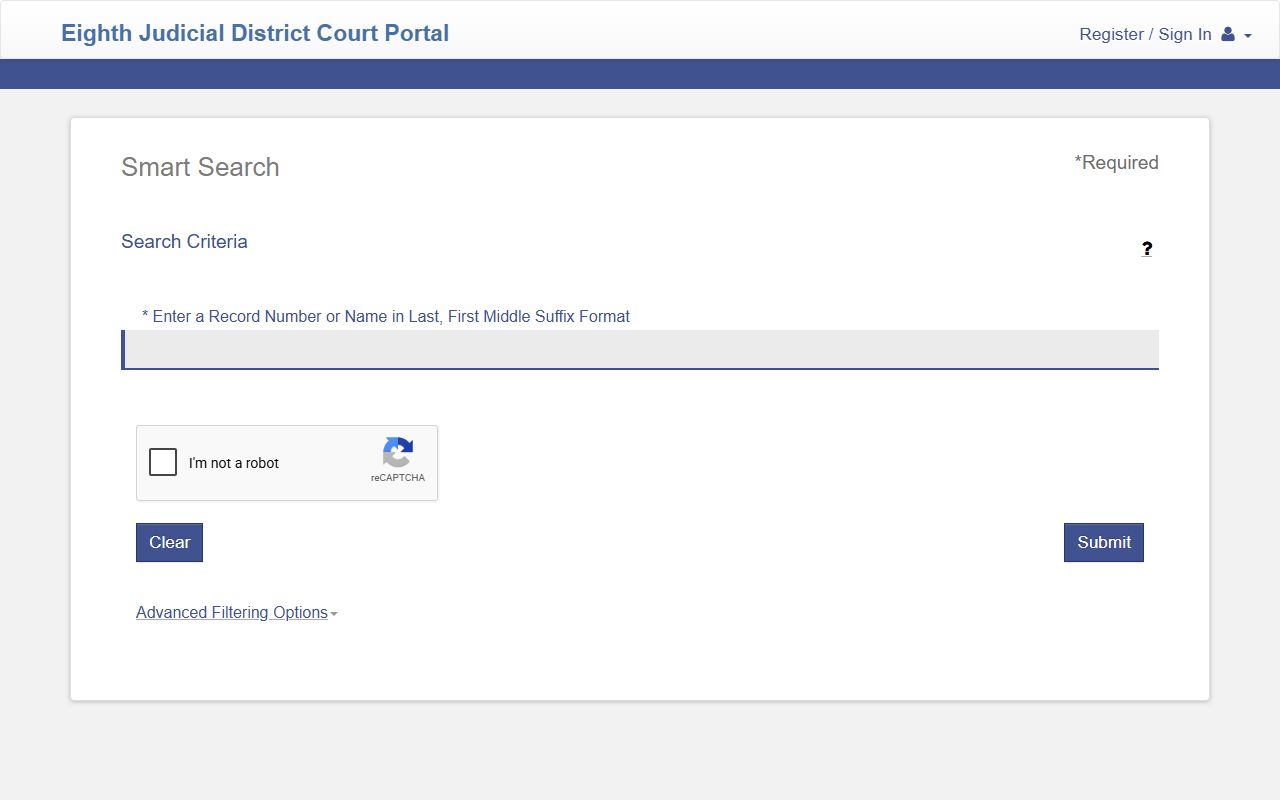
The Smart Search form returns docket-enabled cases when you submit a clean case number or a Last, First Middle Suffix name. Open a case from the result list to view the docket page. The portal then shows party data, the assigned judicial officer, and the chronological docket entries for the case.
- Open the Smart Search at clarkcountycourts.us/Portal/Home/Dashboard/29.
- Enter a case number or a name. Use Last, First Middle Suffix format for name searches. The field accepts up to 100 characters.
- Complete the reCAPTCHA if you are using anonymous public access. Logged-in attorney and justice partner accounts skip the CAPTCHA.
- Open Advanced Filtering Options to narrow by case type, case status, file-date range, or judicial officer. The Probate, Civil, Adult Criminal, Family Domestic, and Juvenile case-type filters are the fastest way to cut a large result set.
- Submit the search and open the matching case from the result list.
- On the case page, scroll to the docket or events section to view each entry in date order.
- If a document is available for purchase, follow the document-purchase link from the portal. The portal posts a "How do I purchase court filings online" link on the landing page.
For a known case, a case number search is faster than a name search. A name search on a common Las Vegas surname can produce hundreds of results and force more filtering. Keep the case number whenever the portal returns one for a case you plan to revisit.
Clark County Docket Entry Fields
Each docket entry in the Eighth Judicial District Court system carries a small set of standard fields. The table below maps the fields a public user is likely to see on an open Clark County court docket page in the portal. Not every field appears for every case type, and sealed or exempt cases do not appear at all.
| Field | What It Shows |
|---|---|
| Case Number | Court identifier; usually year-coded with a case-type code and a sequence number. |
| Case Type | Adult Criminal, Civil, Family Domestic, Juvenile, or Probate. |
| Case Status | Open, Active, Closed, Dismissed, Reopened, Transferred, Appealed, Warrant, Search Warrant Filed, Search Warrant Closed, or other internal status values. |
| Filing Date | Date the case opened in the court. |
| Parties | Plaintiff, defendant, petitioner, respondent, or business party with name components. |
| Attorneys | Counsel of record; searchable by attorney name and bar number. |
| Judicial Officer | Judge or commissioner assigned to the case. |
| Docket Date | Date a specific event was entered on the docket. |
| Event Label | Short title for the event, such as Complaint Filed, Motion to Dismiss, Order Granted, or Bench Warrant Issued. |
| Event Description | Free-text note added by the clerk to explain the event. |
| Document Link | Link to a viewable or purchasable document where the court has uploaded one. |
| Hearing Date | Scheduled future court date associated with the entry. |
Note: The portal's docket view does not always include every paper document the parties filed; some filings only appear on the clerk's internal record and must be requested from the Eighth Judicial District Court Clerk.
Clark County Court Docket Status Values
Case status is the single most useful filter for a docket search. A docket page also lists the current case status near the top. The Smart Search filter for Case Status exposes the full range of internal labels the court uses. Knowing what each label means helps a searcher decide whether to keep digging or move on.
Common active statuses include Open, Active, Complaint Filed, Reopened, and Appealed. These flag dockets that are still moving. A user looking for an in-progress matter usually wants one of these. Closed, Dismissed, and Adjudicated dockets are still public unless sealed, but they signal the case is over. Transferred or Bound Over to District Court marks a case that moved from a Justice Court preliminary hearing into District Court for the next stage.
Warrant statuses are different. Warrant, Search Warrant Filed, and Search Warrant Closed flag cases connected to court-issued warrants. The Smart Search itself does not function as a stand-alone warrant list. Warrant case status on a docket is not the same as a public active-warrant database. The dedicated Clark County warrant search page explains how to verify an active warrant the right way.
Family Domestic dockets carry their own status tail for mediation, settlement conference, and protective order activity. Probate dockets cycle through Petition Filed, Letters Issued, Inventory Filed, Accounting Filed, and Order types. The probate records page covers the probate-specific status flow in more detail.
Hearings and Judicial Officers on Clark County Dockets
Every docket links to a judicial officer. The Filter by Judicial Officer field in the Smart Search lets a user pull every active matter under a single judge. That is useful for parties tracking a court calendar, lawyers preparing for a hearing, and journalists covering a department.
Hearing entries on a Clark County court docket include the hearing date, hearing type, courtroom or department, and a result note after the hearing is held. Result notes are short. A motion may be listed as Granted, Denied, Submitted, Continued, or Off Calendar. A trial setting may show Set, Vacated, or Reset to a new date. A status check may show Held or Continued. The docket does not include transcripts; transcripts are ordered separately from the court reporter or transcription service the court designates.
Department assignment matters because Clark County's District Court runs many departments under the Eighth Judicial District Court umbrella, with civil, criminal, family, juvenile, and probate dockets distributed across departments and senior judges. The District Court page covers the department structure for Clark County and how cases are assigned.
Court Docket vs Full Case File in Clark County
A docket and a full case file are not the same thing. The docket is the timeline. The case file is the stack of paper or electronic documents the clerk maintains for the case. A user reading a docket entry such as "Motion for Summary Judgment Filed" is not reading the motion. The motion is the document; the docket entry is the timeline note. Some entries link to the actual filing; many do not.
To obtain the underlying document, use one of three routes. First, use the portal document-purchase workflow when the entry includes a link and the court has marked the document available. Second, contact the Eighth Judicial District Court Clerk at the Regional Justice Center, 200 Lewis Avenue, Las Vegas, NV 89101, and request a copy through the clerk's record-request process. Third, for attorney work product, sealed pleadings, or restricted exhibits, use the access route appropriate to your role, including the portal's pro se sealed case access link and the justice partner extended access route.
The image below shows the Eighth Judicial District Court Clerk page that handles the official Clark County District Court record requests behind any docket entry.
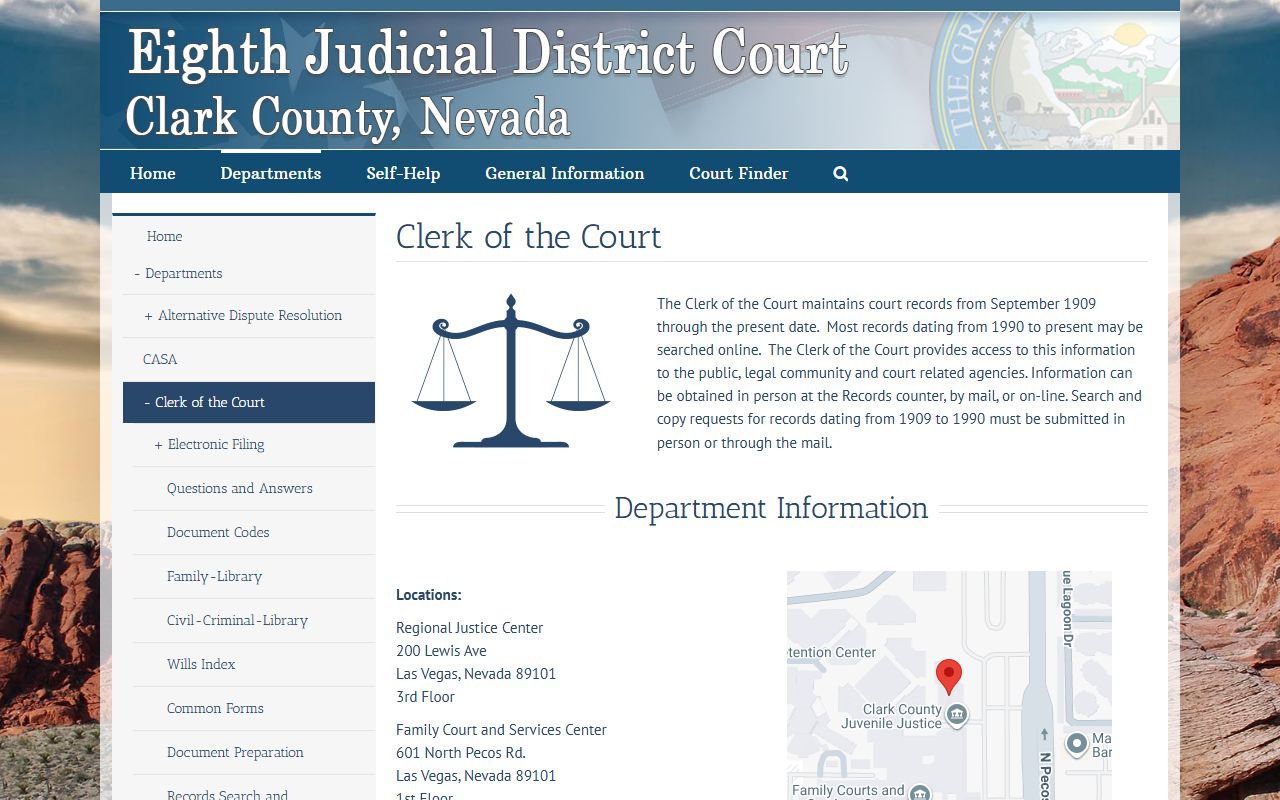
The clerk's office is the official source for certified copies of filings, judgments, and decrees. For full background, the Clerk of the Court page walks through the request process, the available copy types, and the steps for certified versus plain copies.
Justice and Municipal Court Dockets in Clark County
Not every Clark County case sits in the District Court portal. Justice Courts and Municipal Courts run their own dockets for limited-jurisdiction matters. Justice Courts hear misdemeanors, traffic, small claims, evictions, protection orders, and felony preliminary proceedings under NRS Chapter 4. Municipal Courts hear city ordinance and misdemeanor cases under NRS Chapter 5.
Clark County township Justice Courts include Las Vegas Justice Court at the Regional Justice Center, Henderson Justice Court, North Las Vegas Justice Court, Boulder City Justice Court, and Mesquite Justice Court. Municipal Courts include Las Vegas, Henderson, North Las Vegas, Boulder City, and Mesquite municipal divisions. Each court operates its own public-access docket or payment system. A case that started as a Justice Court preliminary felony and bound over to District Court has a docket in both courts; the Justice Court entries cover the preliminary stage and the District Court entries cover the trial stage.
For traffic dockets, the court named on the citation controls the record. The traffic court records page walks through citation lookup, payment options, and the difference between a court traffic docket and the Nevada DMV driver record.
Sealed and Restricted Clark County Court Dockets
Some dockets do not appear in any public portal. Nevada law restricts juvenile dockets under NRS Chapter 62H, adoption files under NRS 127, child welfare records under NRS 432B, and mental-health proceedings under NRS 433A. Sealed adult criminal records under NRS Chapter 179 are removed from public-facing search after a sealing order is granted.
A sealed docket may still exist inside the court system. Authorized parties can access it under the rules that apply to their role. The Eighth Judicial District Court portal includes a Pro Se Sealed Case Access link on the landing page for self-represented parties whose own case has been sealed. The portal's posted notice spells out the rule: sealed cases and exempt information will not appear in Smart Search.
Search warrant dockets sit in a third category. The portal exposes Search Warrant Filed and Search Warrant Closed as case-status values, but the contents of an active warrant may stay sealed during an investigation. The arrest records page covers how warrants, arrests, and criminal court dockets interact under Nevada law.
Buying Documents Behind a Clark County Docket Entry
Many docket entries include a viewable or purchasable document. The Eighth Judicial District Court portal includes a "How do I purchase court filings online" link on the landing page. The workflow ties to the user's account or anonymous purchase path. Document fees are set by the court's fee schedule, and purchase availability depends on document type, access level, and whether the filing is sealed or restricted.
For documents not available online, request copies from the Eighth Judicial District Court Clerk's record services. Certified copies are required for use as evidence in another proceeding, for filing with another agency, or for personal records that need to bear the clerk's seal. Plain copies are cheaper and work for review purposes. The public records page covers the Nevada framework for fees and timelines under NRS Chapter 239.
Note: The portal session times out after inactivity, so save any document or case identifier before walking away from a long search.